The fastest way to find the best hooks in a long video is to work from a timestamped transcript, scan it for a small set of proven hook patterns, and test each candidate with one question: would a stranger keep watching after the first three seconds? Scrubbing through footage is slow. Reading is fast, and hooks are usually visible in the words before you ever watch them.
This guide covers what makes a strong hook, where hooks hide in podcasts, interviews and webinars, and a step-by-step method you can repeat on every recording.
What is a video hook?
A hook is the opening of a short clip that earns the next few seconds of attention. On TikTok, Instagram Reels and YouTube Shorts, viewers decide almost instantly whether to keep watching or swipe. The hook is the reason they stay.
In a long recording, a hook is not something you write. It is something you find: a moment where the speaker says something clear, surprising or emotional enough to work without the rest of the video.
The hook patterns to look for
Most strong moments in long-form talk fit one of these patterns:
- The bold claim. "Most people price their services wrong." A clear opinion invites agreement or disagreement.
- The question and answer. A guest asks something many people wonder about, then gets a direct answer.
- The story with a turn. "I almost quit in my second year, until..." Stories pull people forward.
- The specific mistake. "The biggest mistake I made was..." Mistakes are relatable and useful.
- The number or list. "Three things changed everything." Viewers want to hear all three.
- The emotional beat. Laughter, frustration, a long pause, a strong reaction.
- The counterintuitive tip. Advice that sounds wrong at first and then makes sense.
When you read a transcript with these patterns in mind, they start to jump out.
Step-by-step: finding hooks in a long video
1. Get an accurate, timestamped transcript
You cannot search a video, but you can search text. Transcribe the full recording and keep the timestamps so every line links back to its moment. Fix obvious errors in names and key terms now, because they will become your captions later.
2. Skim for pattern words
Search or scan for phrases that often signal a hook: "the truth is", "nobody talks about", "the biggest mistake", "here's what", "I was wrong", "the secret", "what changed", and direct questions. These do not guarantee a hook, but they point you to the right areas.
3. Mark candidates, not decisions
On the first pass, mark anything that might work. Do not judge too early. A one-hour episode might give you 15 to 25 candidates on the first skim.
4. Apply the stranger test
For each candidate, ask:
- Does the first sentence make sense with no context?
- Is there a payoff within the clip?
- Would I stop scrolling for this if I did not know the speaker?
If the answer to the first question is no, look a few seconds earlier for a better starting line, or drop it.
5. Watch the shortlist
Now play only your shortlisted moments. Delivery matters: the same sentence can land or fall flat depending on energy, pacing and facial expression. Keep the ones where the speaker sounds sure of what they are saying.
6. Rank and pick
Rank what is left. Your top five are your clips for this recording. Keep the rest as a backup list for slower weeks.
Where hooks hide in different formats
Podcasts and interviews. Look at the guest's answers, not the host's questions. The best moments are often in the middle of a long answer, after the guest has warmed up. See how to turn a podcast episode into Shorts, Reels and TikToks.
Webinars and lessons. Look for the moment the presenter states the main idea in one sentence, or answers an audience question. Q&A sections are often the richest part. More in how to repurpose webinars and interviews.
Livestreams. Look for reactions and unexpected moments. Chat questions often trigger the clearest answers.
How to make a found hook stronger
A good moment can still become a weak clip. Small edits help:
- Start on the strongest word, not the warm-up sentence
- Cut filler and long pauses at the start
- Put the key line in large, readable captions, as covered in auto captions for short videos
- Reframe to vertical so the speaker's face is clear
- Write a title that adds curiosity instead of repeating the first line
Using AI to speed up hook finding
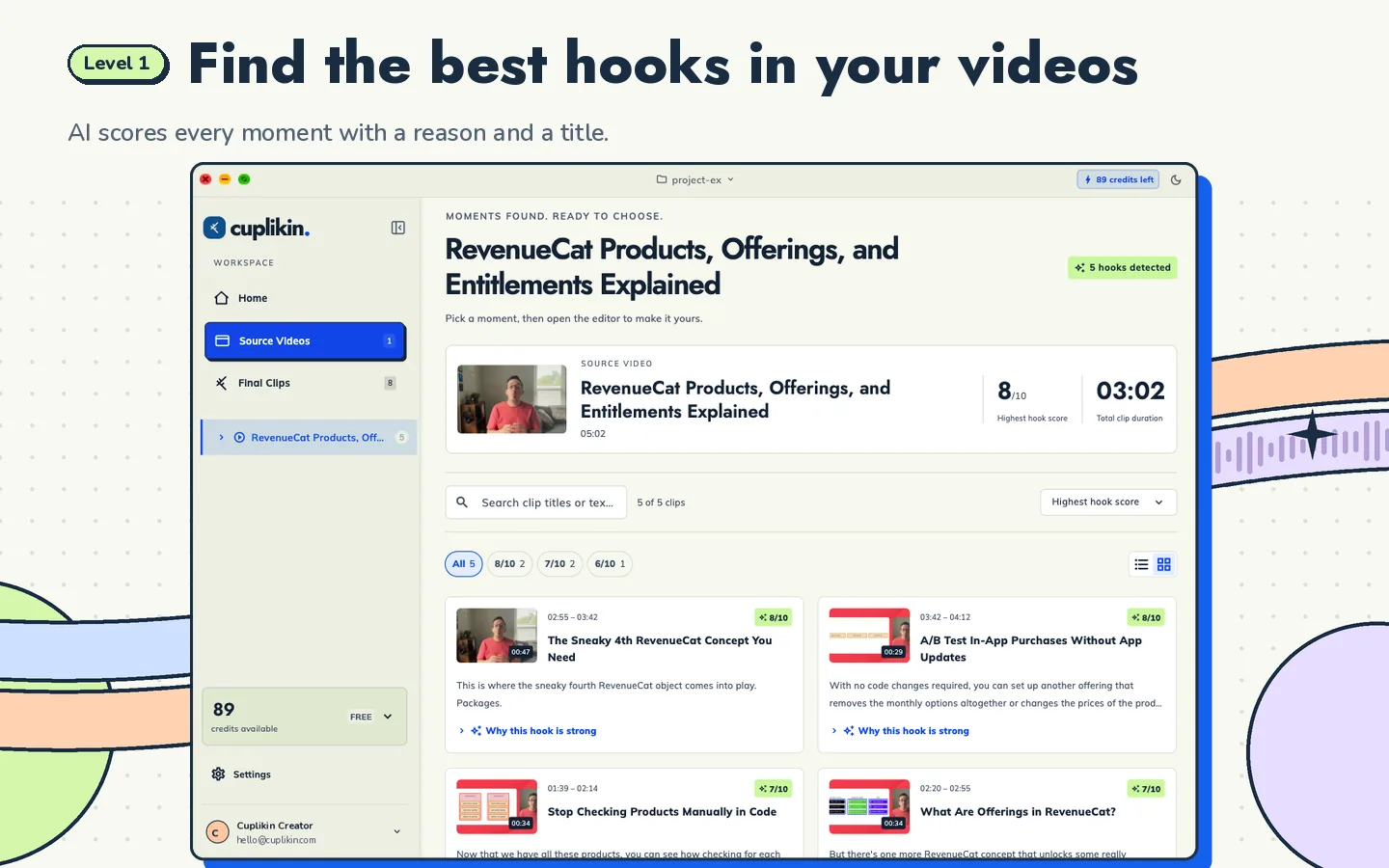
Finding hooks by hand is still work, especially across many recordings each week. AI can take the first pass for you, as long as you stay the editor.
In Cuplikin, AI hook detection finds the engaging segments for you. Each one gets a score from 1 to 10, a short reason explaining why the hook is strong, and a title idea. You review the list and choose what to keep.
A few things are worth knowing:
- Scores help you judge ideas quickly. They do not guarantee views, and your own judgment of your audience still matters most.
- Transcription can run on-device or with Cuplikin Cloud, and your video file is not uploaded for hook analysis.
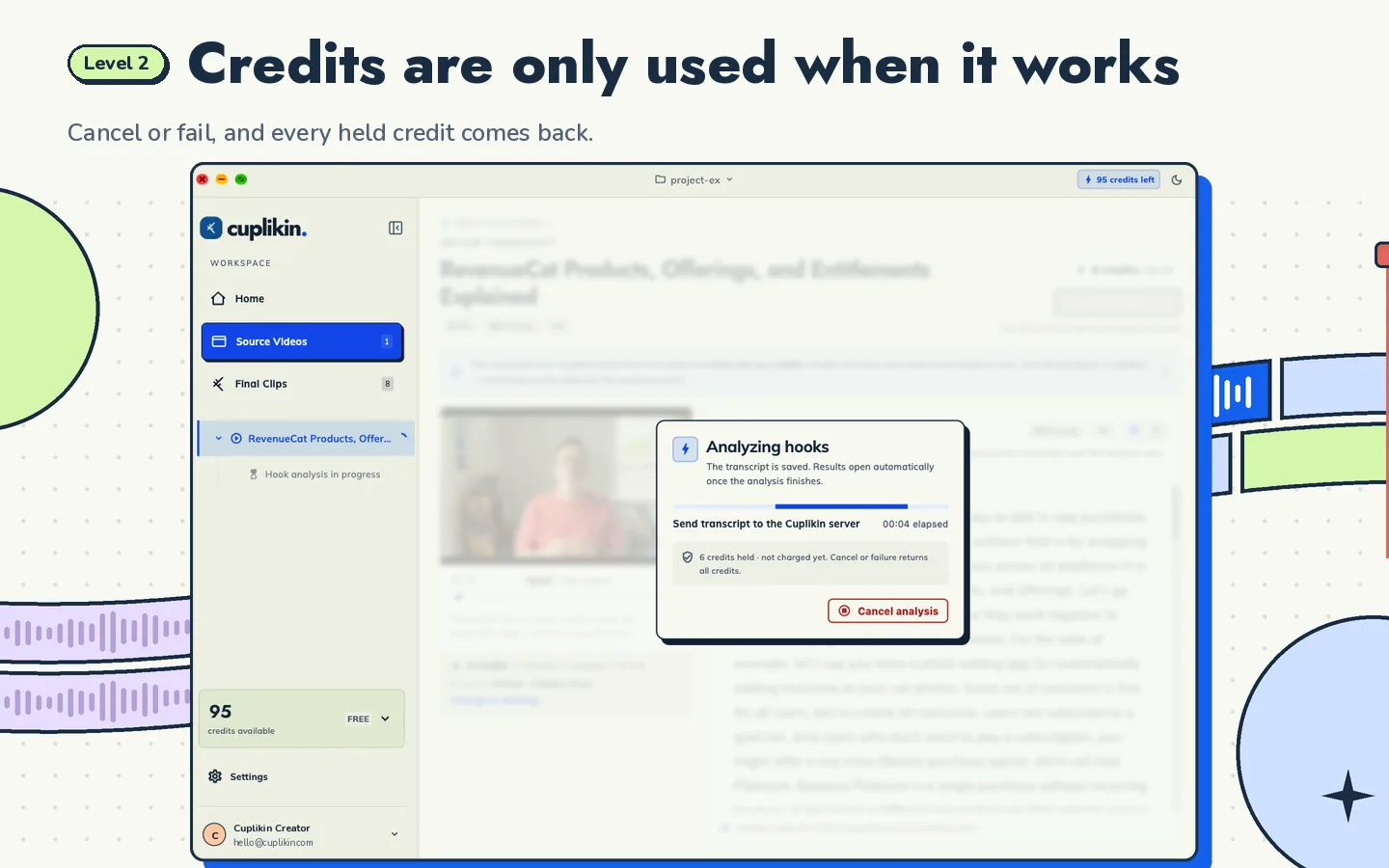
- Some cloud features use credits, and credits are only used when the analysis works. If a run is cancelled or fails, the credits come back.
On iPhone, the same hook candidates list is available, so you can review hooks wherever you are. For the full mobile workflow, see how to clip long videos on iPhone or Android.
Common mistakes when picking hooks
- Choosing what you liked, not what stands alone. Inside jokes and callbacks rarely work for new viewers.
- Starting too early. Ten seconds of setup loses people before the good part.
- Ignoring audio quality. A great line with poor audio is hard to watch.
- Only picking the loud moments. Calm, clear explanations often perform well too.
- Never checking results. Note which hook patterns worked for your audience and look for more of them.
Hook finding is one step in a bigger process. For the full workflow from import to export, read the pillar guide: how to turn long videos into short clips.
FAQ
How long should a hook be?
The hook itself is the first few seconds of the clip, often a single sentence. Its job is to make the viewer want the rest. The whole clip can be longer, but check each platform's current length limit before you export.
Can AI find the best moments in a video for me?
AI can suggest strong candidates and explain why, which saves a lot of time. You should still review them, because you know your audience and context. In Cuplikin, AI scores and reasons help you decide, and you choose which hooks become clips.
What if my video has no obvious hooks?
Look at questions and answers, mistakes, and specific lessons. Even calm conversations usually have a few lines that state an idea clearly. If nothing stands alone, a clip may need a short title on screen to give context.
Try it with Cuplikin
Cuplikin transcribes your video, suggests hooks with scores, reasons and title ideas, and lets you trim, caption and export them without a watermark. It is free to download for Mac, iPhone, iPad and Android. Download Cuplikin and find the hooks in your next recording.