An AI clip maker without a watermark turns long videos into short clips and lets you export them without the app's logo, even on the free plan. Many clip makers add a watermark on their Free tier and only remove it once you subscribe. Before you pick one, check five things: the watermark, export resolution, how long projects are kept, AI credit limits, and whether the app runs on your phone.
This guide covers why watermarks hurt clippers, how to read a free plan carefully, and a checklist you can use for any app.
Why watermarks hurt clippers
If you only post for fun, a watermark may not matter much. If you deliver clips to clients or join clipping programs, it can be a real problem.
Clients do not want someone else's logo on their clips
Creators and brands pay clippers so the clips look like their own content. An app logo in the corner makes a clip look like a template output rather than paid work. Many clients will ask for a revision straight away, or simply not use it.
Removing a watermark is extra work
You can hide a watermark with a crop or a blur, but that costs part of the frame and adds a step to every clip. If you deliver dozens of clips a week, that time adds up. The extra crop can also cut off captions or the speaker's face.
It looks amateur in the feed
Viewers on TikTok, Reels and Shorts judge quickly. A clip carrying another app's logo often reads as a repost or low-effort content. For an account that is still building trust, that first impression matters.
It may affect reach
Short-video platforms generally favour content that looks original. Nobody outside the platforms knows exactly how their algorithms work, but a clean clip without a third-party logo is a safer starting point than one that clearly carries another app's mark.
What to check in a clip maker's free plan
"Free" on the home page often comes with conditions that only show up on the pricing page. Here are five things to read before you use a clip maker for serious work.
1. Watermark
Look for phrases like "watermark-free export" or "remove watermark" in the feature list. If that line only appears under paid plans, the free plan adds a watermark. The surest test: export one sample clip and play it to the very end. Some apps put a logo in the corner; others add an end screen after the video.
2. Export resolution
A 720p clip is watchable, but it looks soft on modern phones, especially with small caption text. For vertical clips, 1080p is the safe standard. Also make sure you can set frame rate and bitrate, because they affect quality after the platform re-compresses your video. The full guide is in the best export settings for TikTok, Reels and Shorts.
3. How long projects and media are kept
Cloud-based apps usually keep your videos and clips on their servers for a limited time. On free plans that window can be very short. If a client asks for a revision next week, your project may already be gone, and you will have to upload and process everything again. For example, as of October 2026, according to OpusClip's pricing page, the OpusClip Free plan produces watermarked clips, renders up to 1080p, and keeps media for 3 days before it expires. Terms like these change, so always re-check the app's pricing page.
4. Credit limits and quotas
Almost every AI clip maker uses credits or minutes. Read carefully:
- How many credits or minutes the free plan gives each month
- Whether credits reset monthly or simply expire
- Which features use credits (AI analysis, transcription, downloading from a link)
- Whether there is a daily limit on videos or downloads
A clear limit is better than one that appears in the middle of a deadline.
5. Whether it works on your phone
Plenty of clippers work from a phone, either because they do not have a laptop yet or because they want to edit anywhere. An app that only runs in a desktop browser limits your workflow. Check whether there is an iPhone and Android app, and whether it has the same features as the desktop version. If you do work from your phone, also read how to clip long videos on iPhone and Android.
Quick checklist before you choose a clip maker
Save this list and use it whenever you try a new app:
- Free plan exports are clean, with no logo and no app end screen
- Export resolution of at least 1080p
- You can set frame rate, bitrate and codec
- Projects and clips do not disappear after a few days
- Credit limits are clear and written on the pricing page
- Available on the devices you use every day, including your phone
- Automatic captions you can edit, not just burn in
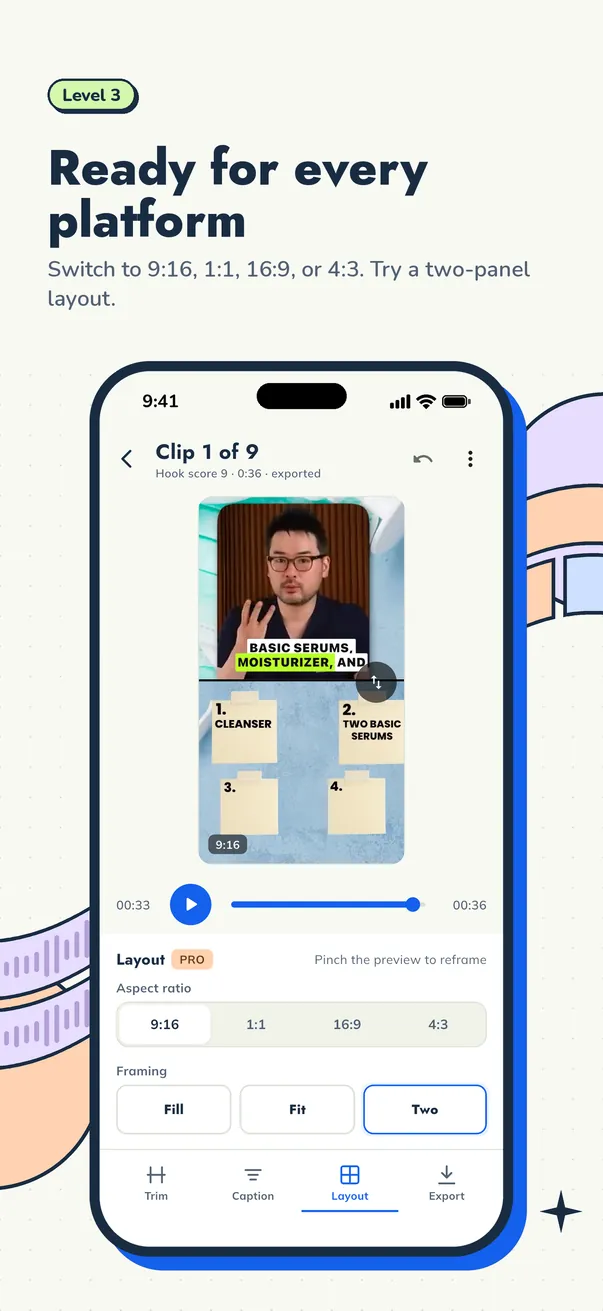
- Reframing to 9:16 without cutting off the speaker's face
- You know where your video files are stored and who can access them
If an app fails two or three of the first points, its free plan is better for trying things out than for clipping work.
How Cuplikin Free answers each point
Cuplikin is an app for turning long videos into short vertical clips, available on Mac (Apple silicon), iPhone, iPad and Android. Here is how its Free plan answers the checklist above.
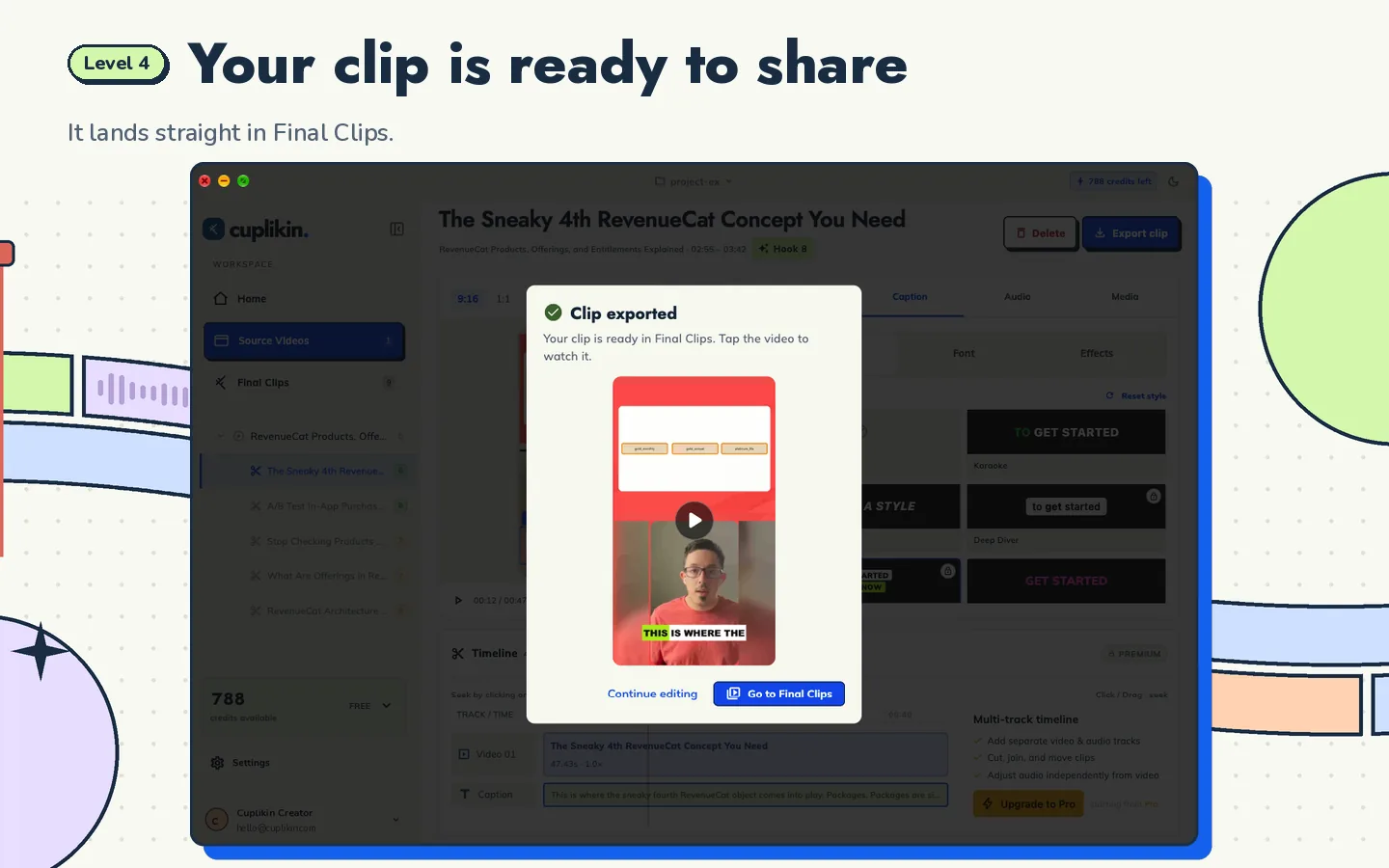
Watermark. Free plan exports have no watermark. The clips you send to clients carry no Cuplikin logo.
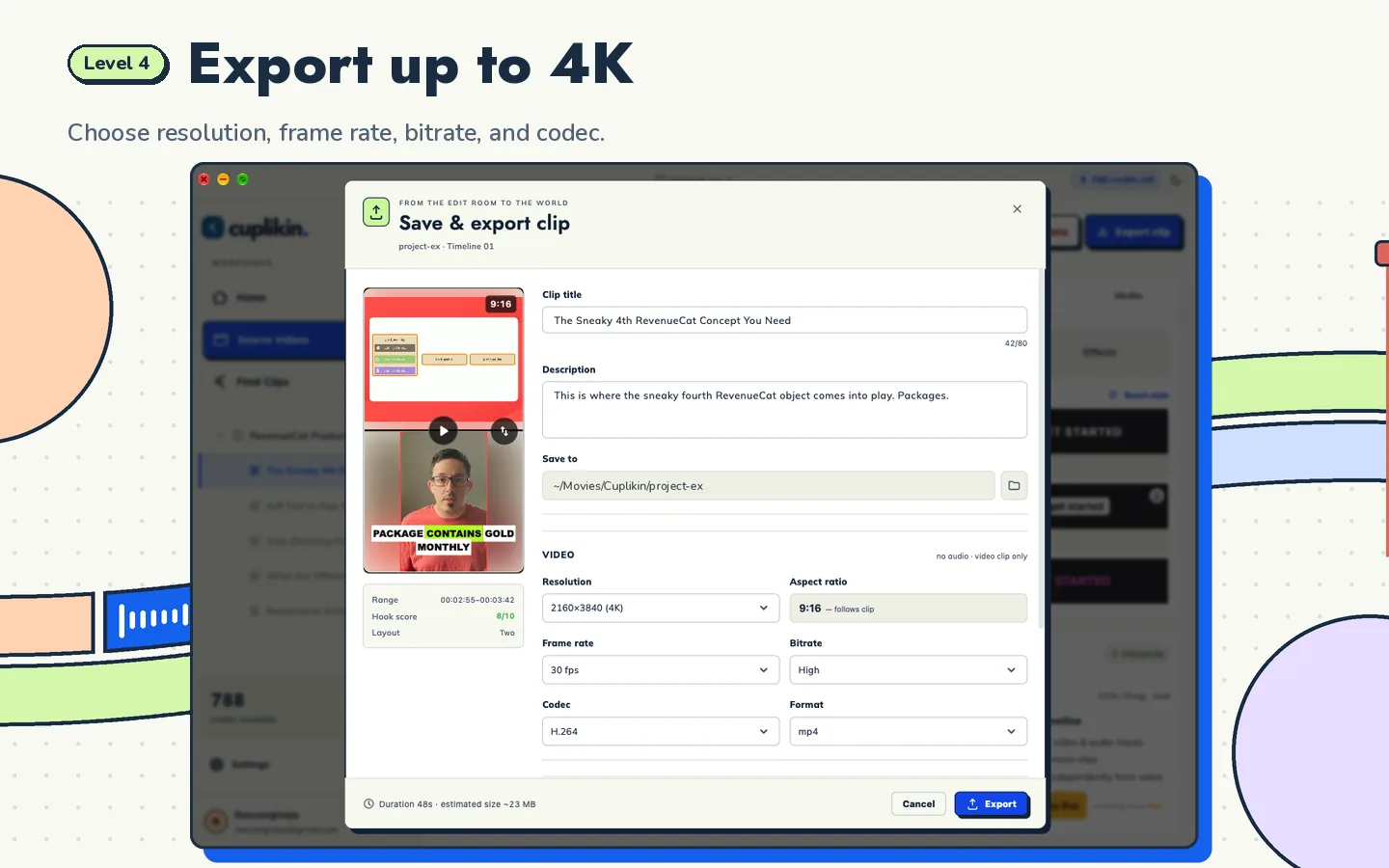
Export resolution. The Free plan exports up to 1080p, with settings for resolution, frame rate, bitrate and codec. Exports up to 4K are available on Pro.
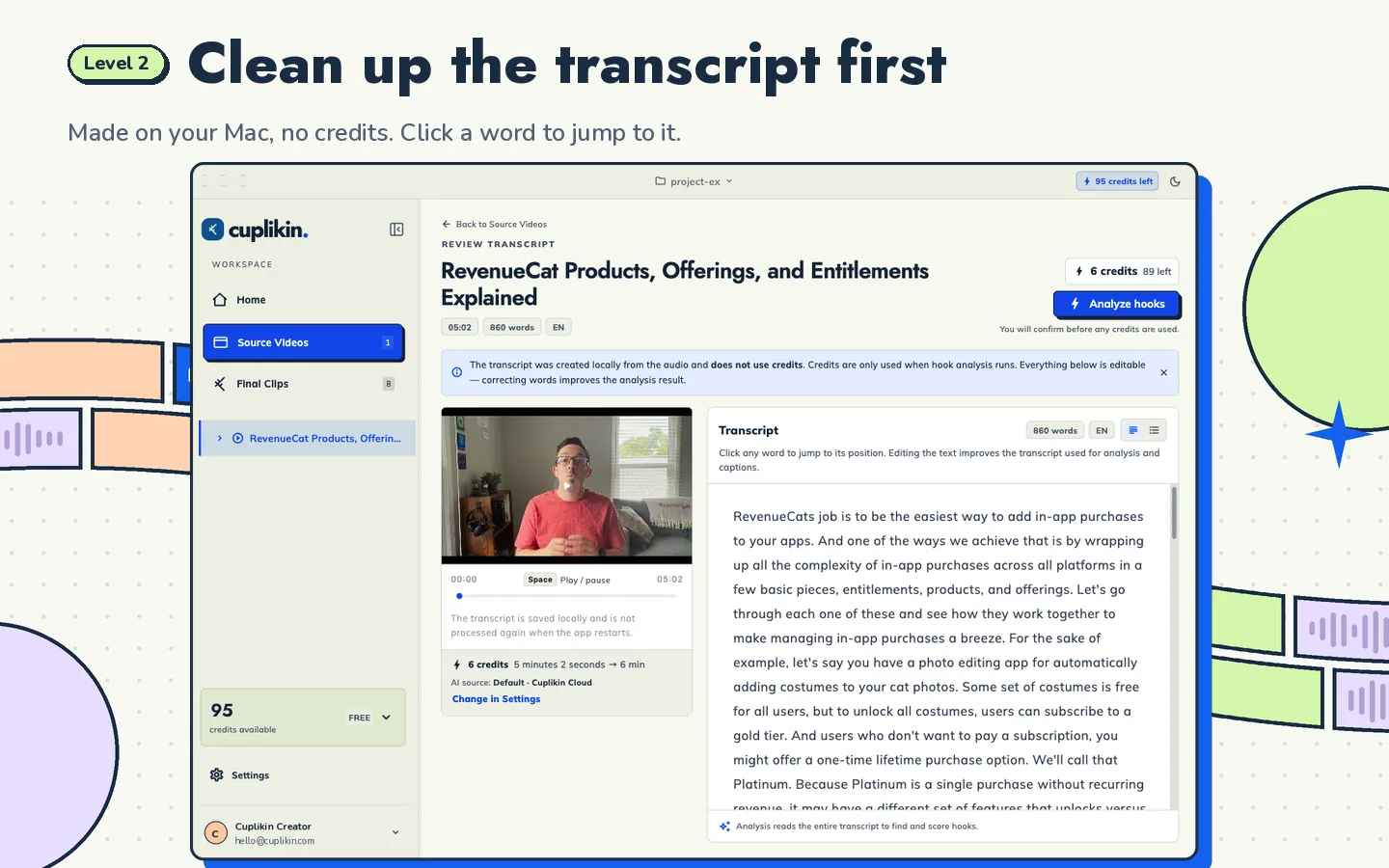
Project storage. Projects and media are stored on your device, so they never expire. If a client asks for a revision next month, the project is still there as long as you have not deleted the files from your device. Local video processing is also unlimited.
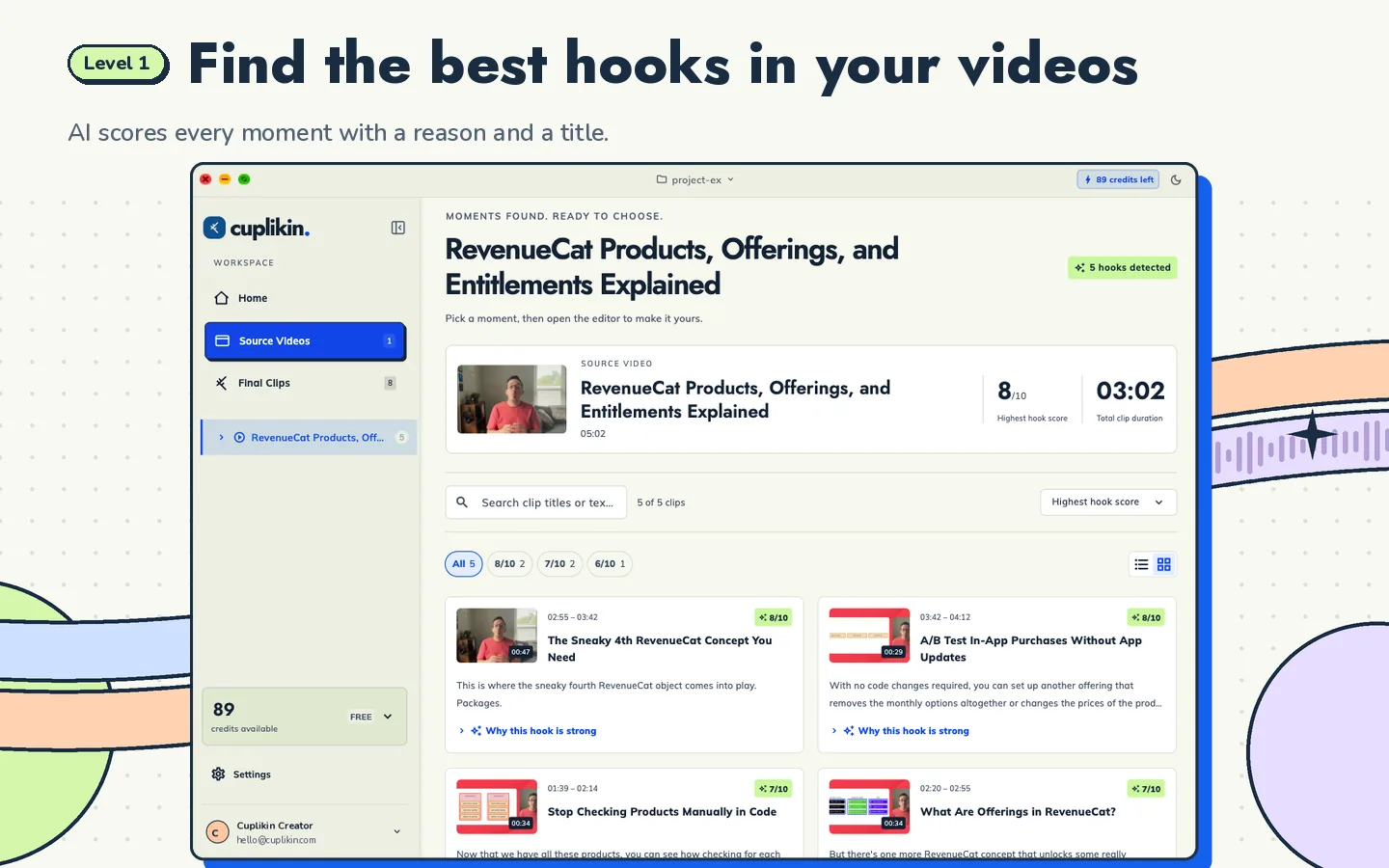
Credits and quotas. The Free plan gets 50 AI credits per month. Credits reset monthly and do not roll over. There are also 3 URL downloads per day for supported links such as YouTube. AI hook detection gives each segment a score from 1 to 10, with a reason and title ideas; on the Free plan you can unlock hooks scored up to 8, while scores 9 and 10 are for Pro. The score helps you judge a moment; it does not guarantee views.
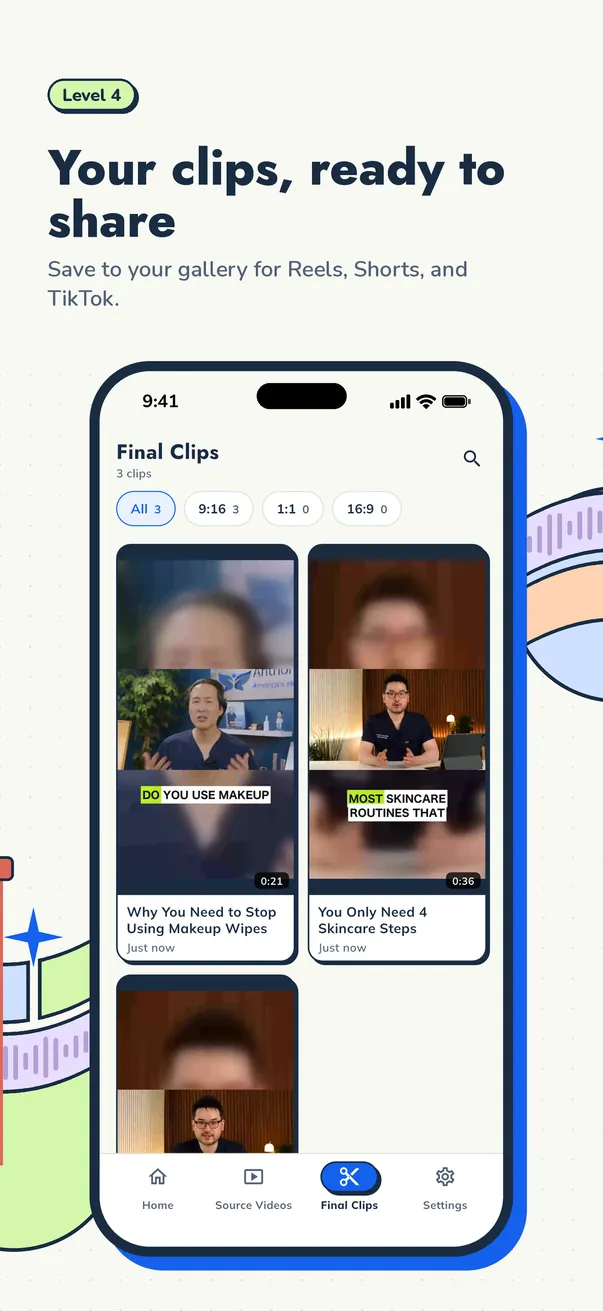
Works on your phone. Cuplikin runs on iPhone, iPad and Android with the same workflow as on Mac: transcribe, find hooks, trim, caption, reframe and export. On a phone, finished clips are saved straight to Photos or your gallery.
Privacy. Projects, source media, edits and exports are stored on your device. Your video files are not uploaded for hook analysis, and on-device transcription sends nothing. Two exceptions worth knowing: URL imports are downloaded through Cuplikin's service, and cloud transcription (optional, Pro only) sends audio to be transcribed.
When do you need Pro? When you want 4K exports, unlimited URL downloads, faster cloud transcription for long videos or less powerful phones, and access to every hook score. On the US App Store, Pro starts at $0.99 per week or $1.99 per month, before sales tax. Prices on Google Play and in other countries may differ, and the price that applies to you is always shown in the app before you pay.
To see the whole clipping workflow from start to finish, read the main guide on how to turn long videos into short clips. If you are comparing Cuplikin with OpusClip, see OpusClip alternative: comparing the free plans.
FAQ
Is there a free AI clip maker without a watermark?
Yes, though not many, because a lot of apps use the watermark as a reason to upgrade. Cuplikin Free exports without a watermark at up to 1080p. Whatever app you try, the surest check is to export one sample clip on the free plan and watch it all the way to the end.
Can I remove a watermark with a crop or blur?
Technically yes, but the result looks less clean and may break the app's terms of service. An extra crop also loses part of the frame and can cut off captions or faces. It is safer to use an app that gives you clean exports in the first place.
Will my projects on Cuplikin Free be deleted after a few days?
No. Projects and media are stored on your device and never expire. The only thing that resets each month is the 50 AI credits on the Free plan.
Try it with Cuplikin
If you want a clip maker that exports without a watermark from the free plan, works on your phone as well as your Mac, and keeps projects on your own device, try Cuplikin. It is free to download for Mac, iPhone, iPad and Android. Download Cuplikin and export your first clip with no logo on it.