Whop Content Rewards is a marketplace where creators, brands and agencies fund clipping campaigns, and clippers get paid for the verified views their clips earn. To do well, pick campaigns whose source videos you can clip quickly, find the strongest 20 to 60 seconds in each long video, add your own captions and framing so every clip looks original, and keep your tool costs small compared with what you earn per 1,000 views.
This guide explains how campaigns work, how to choose them, and a workflow you can run entirely on your phone with Cuplikin.
How Whop Content Rewards works
Each campaign is set up by whoever wants clips: a streamer, a podcaster, a brand or an agency. The campaign page tells you:
- The source content you are allowed to clip, such as a podcast, a stream or a set of videos
- The rate, usually a dollar amount per 1,000 views
- The budget, which runs out when it is spent
- The rules: which platforms count, minimum views, required tags or mentions, and what gets rejected
You post clips on your own TikTok, Instagram or YouTube account, then submit the links. Views are tracked, submissions are reviewed, and approved views are paid out from the campaign budget.
Rates, minimums, payout caps and fees differ by campaign and can change, so always read the live campaign page on Whop before you start. Do not rely on numbers from blog posts, including this one.
How to pick a campaign worth your time
A high rate is not the only thing that matters. Look at:
- Remaining budget. A campaign that is almost spent may close before your clips get views.
- Source length and density. A two-hour podcast with lots of strong opinions gives you more clips per hour of work than a slow tutorial.
- Your niche. You will spot good moments faster in topics you already follow.
- Platform rules. Some campaigns only count TikTok, others count Reels and Shorts too. Posting the same clip on three platforms triples your chances only if all three count.
- Rejection reasons. Read them before you clip. Common ones are missing captions, wrong aspect ratio, reposting the creator's own clips, and missing tags.
Why a phone-only workflow fits clipping
Most clippers post from their phone, because that is how TikTok and Instagram expect accounts to behave. If you edit on a laptop, you then have to move every file back to your phone. Editing on the phone removes that step.
The hard part on a phone has always been finding the moment. Scrubbing through a 90-minute podcast on a small screen is slow. Cuplikin solves this with a transcript and AI hook suggestions, so you read and pick instead of watching everything.
The workflow: one long video to five clips
Step 1: Import the source
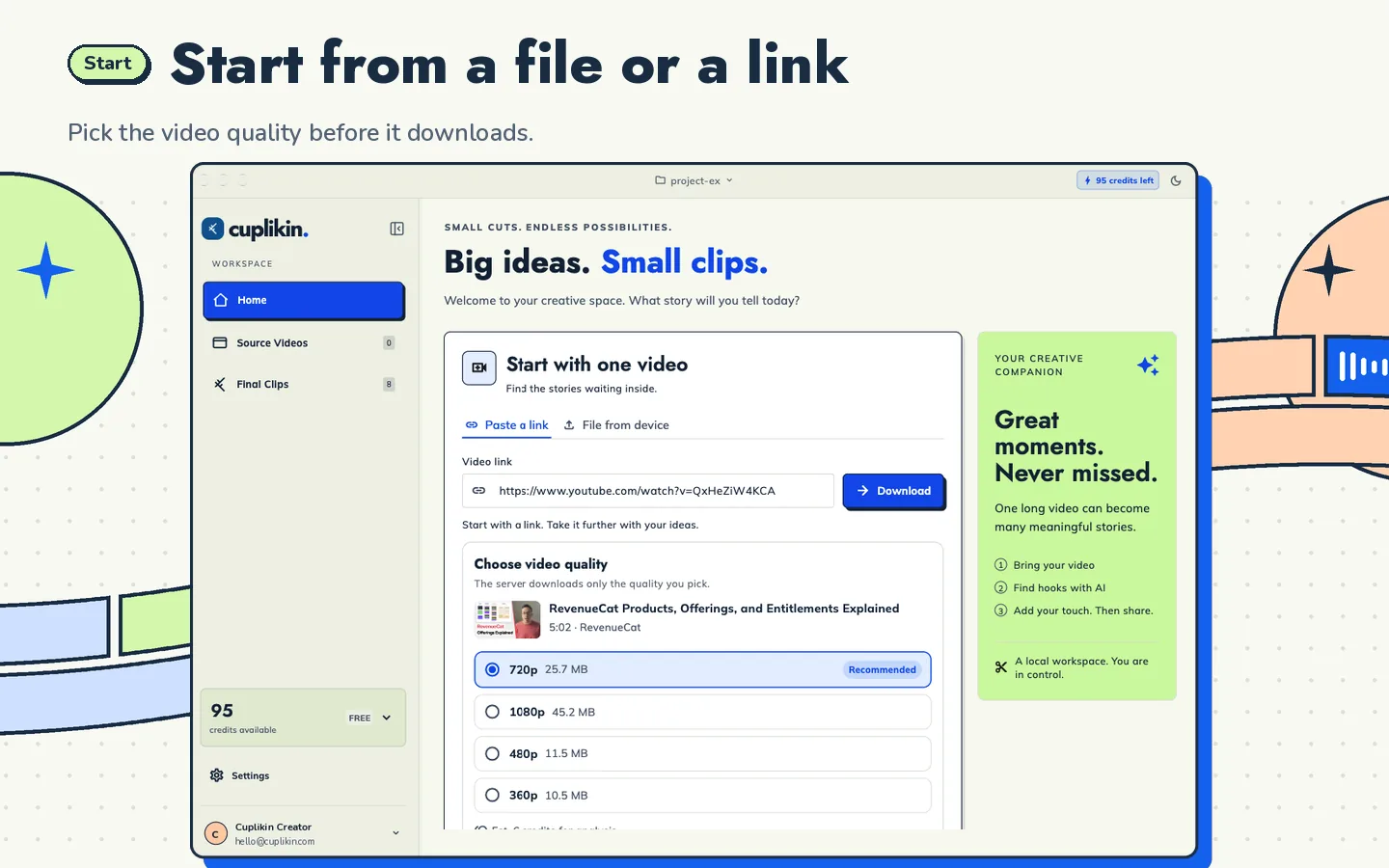
Start a project and add the campaign's source video from a supported link such as YouTube, or from Photos or Files. Link downloads go through Cuplikin's service and the video is saved inside your project.
Step 2: Transcribe
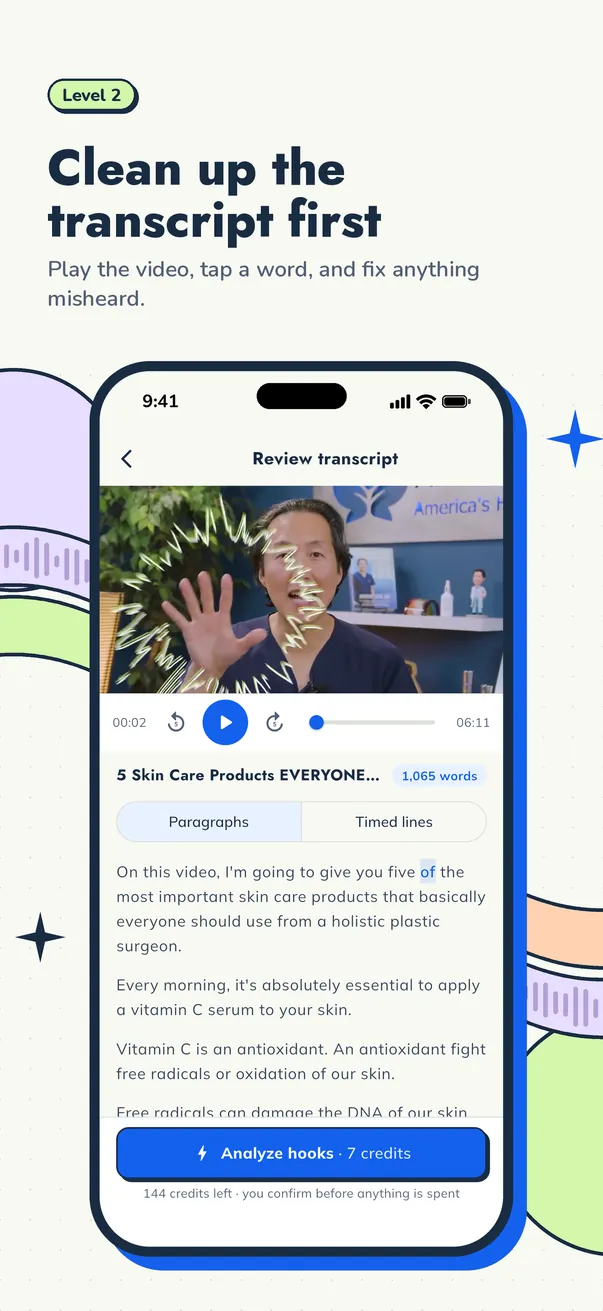
Transcribe the video on your device or with Cuplikin Cloud. Read the transcript and fix names, brand terms and slang the campaign cares about, because these show up in your captions.
Step 3: Shortlist hooks
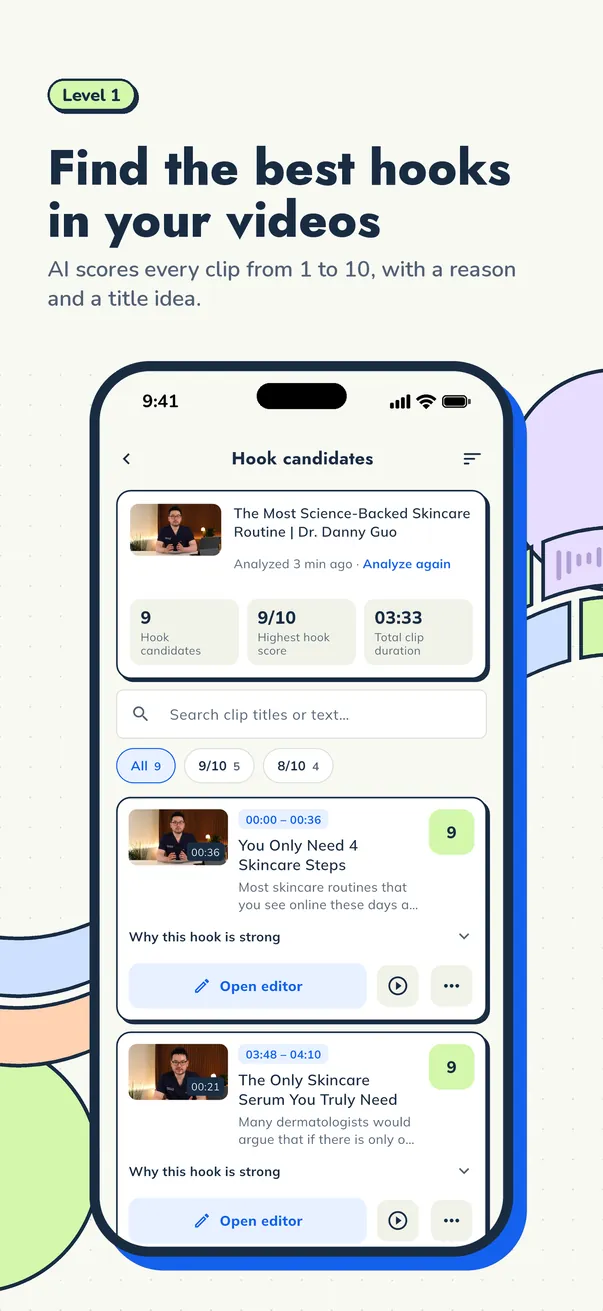
Run AI hook detection. Cuplikin scores each segment from 1 to 10 with a reason and a title idea. Sort by score, read the top candidates, and keep the ones that make sense without context. Scores help you decide faster; they do not guarantee views.
For more on what makes a strong opening, see how to find the best hooks in a long video.
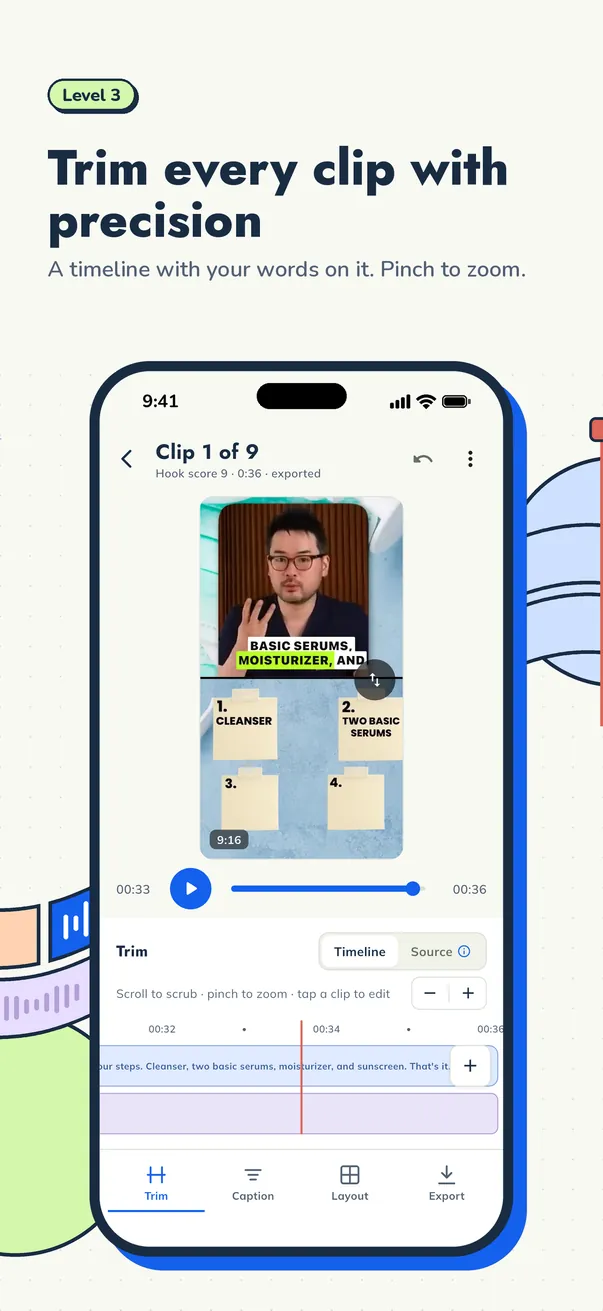
Step 4: Trim tightly
Start on the first line that makes people stop scrolling. Cut the slow lead-in and end on the payoff. Most campaign clips land between 20 and 60 seconds, but check whether your campaign has a minimum length.
Step 5: Add your own captions and framing
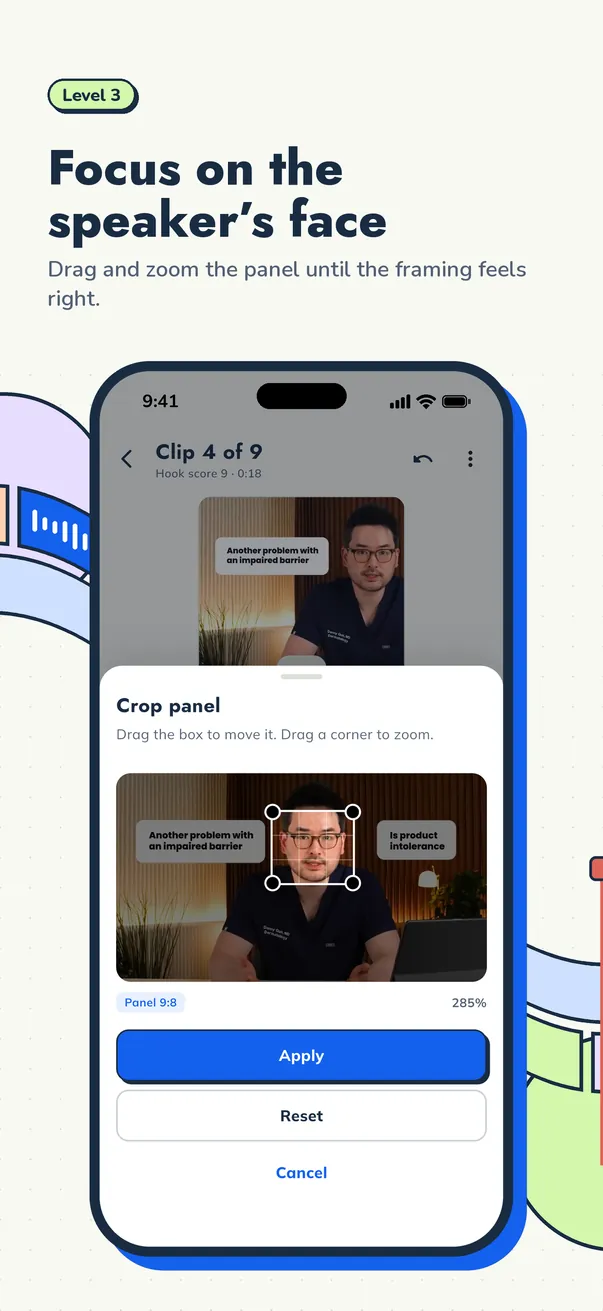
This is where your clip stops looking like a reupload. Pick a caption style, set 9:16, and crop to the speaker's face, or use a two-panel layout when there are two people or slides on screen.
Step 6: Export and post
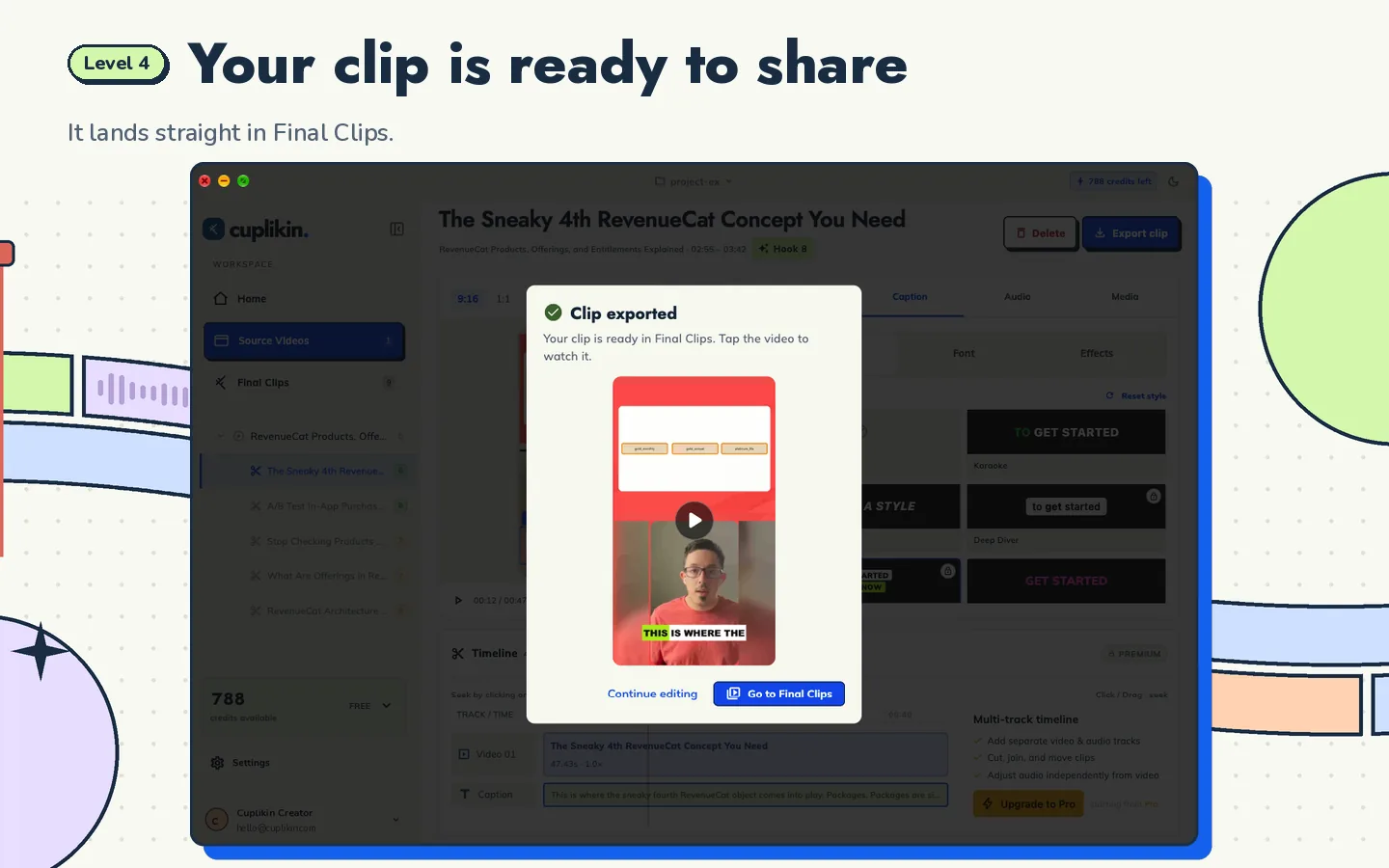
Export without a watermark. On iPhone and Android, finished clips save straight to Photos or your gallery, ready to post from the same phone. Write a title and caption that fit the campaign's required tags.
How to keep clips from being flagged as unoriginal
Platforms and campaign reviewers both look out for reposted content with no edits. To make each clip clearly yours:
- Use your own captions, not the creator's burned-in subtitles
- Choose a different hook from what other clippers posted from the same video
- Reframe and crop instead of posting the original horizontal frame
- Write your own title and on-screen text
- Do not post the same file to several accounts or reupload clips the creator already published
Check each platform's own rules on reused content. They change over time, and campaign rules may be stricter.
The cost math: tools against payouts
Because you are paid per view, every tool subscription comes out of your earnings. Before you commit to a paid tool, work out:
- How many hours of source video you process each month
- How much the tool charges for that amount
- What share of your expected payouts that cost represents
In Cuplikin, transcribing on your device is free and unlimited. AI hook detection uses credits, currently about one credit per minute of video analysed, so a one-hour podcast uses about 60 credits. The Free plan includes 50 AI credits a month. On the US App Store, Pro is $1.99 per month with 150 credits a month, and credit packs start at $0.99 for 100 credits. Prices in other countries and on Google Play may differ, and the app always shows your price before you pay.
If you clip a lot, compare that with per-minute pricing elsewhere, using the same number of hours, before you decide.
A simple weekly routine
- Monday: check campaigns, budgets and rules; pick two or three
- Tuesday to Thursday: process one or two long videos a day, five clips each
- Every day: post at a steady pace instead of all at once
- Friday: submit links, look at which hooks performed, and drop campaigns that are not paying off
For a ready-made schedule, see turn one podcast into 10 clips.
FAQ
Do I need a laptop for Whop clipping?
No. You can import, transcribe, find hooks, trim, caption, reframe and export on an iPhone or Android phone with Cuplikin, then post from the same device. A laptop helps if you process very long videos every day, and Cuplikin also runs on Mac.
How much can I earn from Whop Content Rewards?
It depends on the campaign rate, its budget, and how many views your clips get. Many clips earn little; a few earn most of the money. Treat it as performance work and never count on a fixed income.
Can I use AI to find clips for campaigns?
Yes, as long as the campaign allows it. Use AI to shortlist moments, then make your own choices on trimming, captions and framing so the result is clearly your edit.
Is Cuplikin free?
Cuplikin is free to download. The Free plan has no time limit and includes 50 AI credits a month, exports up to 1080p with no watermark, and unlimited on-device transcription.
Start clipping with Cuplikin
Cuplikin turns long videos into clips on your phone: transcript, AI hook scores, trimming, captions, 9:16 reframing and watermark-free export, all in one app. Download Cuplikin and make your first campaign clip today.